


Video Podcasts Are Dominating 2026: How to Adapt Your Audio Show
Whether you're launching your first branded podcast, scaling video content production, or refining your brand's storytelling approach, our insights help you create media that resonates. From technical production tips to content strategy frameworks, we share what we've learned producing award-winning podcasts and video content for brands across the UK.
Empower your executives, subject matter experts, and team members to become compelling on-camera personalities and podcast hosts. DealFlow Media’s training programs turn technical experts into engaging thought leaders who drive brand visibility and audience growth.
The podcasting landscape has fundamentally shifted. YouTube now commands 33% of all podcast consumption, officially surpassing Spotify (24%) and Apple Podcasts (12%) as the primary discovery platform. For audio-only podcasters, the message is clear: adapt to video or risk invisibility.
The data tells a compelling story. According to Deloitte’s 2026 media predictions, video podcast viewers consume 1.5 times more content than audio-only listeners, and 27% of US consumers now watch video podcasts weekly – a trend led by Gen Z and millennials. More striking: 84% of Gen Z listeners discover new podcasts on YouTube, and 56% of those who find shows on YouTube migrate to consume content on other platforms.
But here’s the opportunity most audio podcasters miss: only 17% of current podcasters have made the jump to video, despite 61% of top 150 podcasts posting video regularly. The adoption gap creates a massive first-mover advantage for audio shows willing to evolve.
Why YouTube Has Become the Primary Podcast Platform
YouTube’s rise to podcast dominance wasn’t accidental. With over 1 billion monthly video podcast viewers in early 2025 and 50.6% of all shows now posting full video (a 130% increase since 2022), the platform has become essential infrastructure for podcast discovery.
The platform advantages are threefold:
Discovery at scale: One-third of all podcast listeners discover new shows on YouTube, compared to traditional podcast apps. The platform’s recommendation algorithm surfaces content to viewers who never would have found your show in Apple Podcasts or Spotify.
Cross-platform growth: YouTube functions as a discovery engine that feeds other platforms. Listeners who find your brand on YouTube consume your content across multiple platforms, creating compound growth effects.
Monetization diversity: Beyond traditional sponsorship reads, video enables visual product placements, interactive shoppable content, e-commerce integration, and tiered subscription models. The global ad revenue for podcasts and video podcasts is projected to reach $5 billion in 2026, marking nearly 20% year-over-year growth.
Get In Touch
Equipment Needed for Video: Budget to Professional Setups
The equipment barrier is lower than most audio podcasters assume. You don’t need a Hollywood budget – you need the right gear for your specific use case.
Budget Starter Kit ($300-500)
For audio podcasters testing video, start with what you likely already own:
- Camera: Your smartphone (most modern phones shoot 4K)
- Microphone: Keep your existing USB microphone (Rode PodMic USB, Audio-Technica ATR2100x)
- Lighting: Single ring light ($50-100) or adjustable LED panel
- Software: Riverside, StreamYard, or Descript for recording and basic editing
This setup gets you on video immediately. The quality won’t match studio productions, but it’s sufficient for testing whether video resonates with your audience.
Intermediate Setup ($1,000-2,000)
Once you’ve validated video with your audience, upgrade strategically:
- Camera: 4K mirrorless with AI auto-framing (Sony ZV-E10, Canon R50) or high-end webcam (Sony ZV-1)
- Microphone: Upgrade to XLR if you haven’t already (Shure SM7B, Electro-Voice RE20)
- Audio Interface: Focusrite Scarlett 2i2, SSL 2+, or Rodecaster Pro II for multi-guest setups
- Lighting: 3-point lighting system (key light, fill light, backlight) using LED panels or softboxes
- Capture: HDMI-to-USB converter (Elgato Cam Link 4K) to feed your camera into recording software
This tier delivers broadcast-quality results that compete with professional productions.
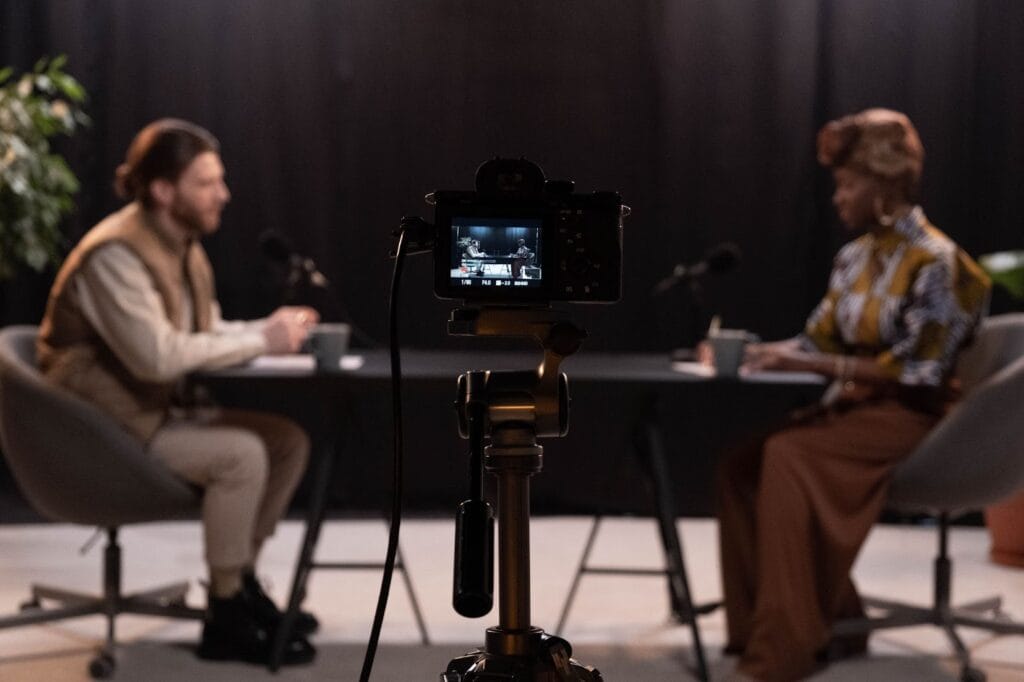
Professional Studio Setup ($3,000+)
For shows monetizing through sponsorships or building a media brand:
- Cameras: Multi-camera setup with Sony A7 IV or similar cinema cameras
- Audio: Individual XLR microphones per host/guest with dedicated audio interface or mixer
- Lighting: Professional LED panels with adjustable color temperature and intensity
- Set Design: Branded backdrop, acoustic treatment, and professional staging
- Monitoring: Closed-back headphones (Audio-Technica M50x, Sony MDR-7506) for each participant
The key insight: you don’t need professional gear to start, but you should plan your upgrade path based on audience response and revenue.
Editing Workflows for Dual-Format Content
The editing workflow is where most audio podcasters stumble. The good news: AI-powered tools have collapsed the complexity.
The Always-Ready Studio Approach
The biggest workflow killer is setup and teardown friction. Professional video podcasters build “always-ready” studios where equipment stays connected:
- Camera positioned and framed
- Microphone mounted on boom arm
- Lighting pre-positioned
- Computer configured with recording software
This removes the psychological barrier between having an idea and hitting record. Consistency beats complexity every time.
Recording Strategy: Separate Tracks
Record each audio source to its own track, even in same-room recordings. Modern platforms like Riverside allow you to capture:
- One camera feed (or multiple angles)
- Individual microphone tracks per person
- Separate audio files for easier mixing
This separation enables AI tools like Magic Audio and Smart Mute to automatically reduce crosstalk and balance levels between speakers.
Editing with AI Acceleration
AI-powered editing tools have cut production time by 50-70%:
Descript offers transcript-based editing where you delete words like a Google Doc and the video updates automatically. It handles filler word removal, audio leveling, and generates social clips.
Adobe Podcast provides AI noise cleanup and enhancement that turns room-recorded audio into broadcast quality.
Riverside’s AI tools include automatic speaker detection, smart mute (silencing non-speaking mics), and instant clip generation for social distribution.
The workflow becomes:
- Record with clean audio (your existing podcast mic quality)
- Import to AI editing platform
- Transcript edit for structure and pacing (delete awkward moments, long pauses)
- Apply AI audio enhancement (one-click cleanup)
- Generate social clips automatically
- Export in multiple formats (full video for YouTube, audio-only for traditional podcast feeds)
Syncing Audio and Video
If you’re recording video separately from your podcast audio (common when upgrading incrementally), syncing is straightforward:
- Record at the same frame rate (24fps or 30fps)
- Match audio sample rate (48kHz recommended)
- Create a sync point: clap your hands or say a specific phrase at the start
- Use AI-powered tools like Descript or Adobe Premiere’s auto-sync feature
For multi-camera setups, use timecode-enabled recorders to ensure perfect synchronization across all sources.
Case Study: Audio-Only Show That Added Video and Grew 200%
While specific attribution data varies, the pattern is consistent across successful video transitions: shows that add video see 150-300% growth in total audience within 6-12 months.
The growth mechanism isn’t mysterious. Video creates multiple compounding advantages:
Expanded discovery surface area: Your show becomes discoverable on YouTube (the #2 search engine globally), in Google search results with video snippets, and through social media clip sharing.
Higher engagement: Video viewers watch 1.5x more content than audio-only listeners. The visual component – facial expressions, body language, visual aids – creates a richer experience that 71% of video podcast consumers cite as more engaging.
Platform algorithm favor: YouTube, Spotify, and Apple Podcasts all prioritize video content in their recommendation systems. Spotify now has over 60% of its most popular shows offering video, and platforms are investing heavily in video infrastructure.
Cross-platform distribution: A single recording becomes:
- Full video episode on YouTube
- Audio-only on Apple Podcasts, Spotify (audio feed)
- Short-form clips for TikTok, Instagram Reels, LinkedIn
- Audiograms for Twitter/X
- Searchable transcripts for SEO
The podcasters seeing 200%+ growth follow a specific playbook:
- Start with existing audio quality – don’t wait for perfect video setup
- Post consistently on YouTube – no show has reached 1M subscribers without regular posting
- Leverage shorts and clips – 71.5% of successful video podcasts post both long and short-form content regularly
- Optimize for search – treat each episode as a “mini website” with timestamps, chapters, and searchable transcript text
- Cross-promote strategically – use YouTube to drive listeners to other platforms and vice versa
Optimizing for Both Traditional SEO and AI Citations
The future of podcast discovery is dual-channel: traditional search engines and AI platforms (ChatGPT, Claude, Perplexity, Gemini).
Traditional SEO Optimization
Episode titles: Include the specific question or topic people search for. Instead of “Episode 47: Marketing Talk,” use “How B2B SaaS Companies Generate Leads in 2026 Without Paid Ads.”
Descriptions: Write 200-300 word descriptions that include:
- 3-5 naturally incorporated search phrases people actually type
- Clear structure with subheadings
- Timestamps for key moments
- Links to resources mentioned
Transcripts: Publish full searchable transcripts on your website. Google indexes this text, making every spoken word discoverable. Podcasts with published transcripts see 7-10x more organic search traffic.
Show notes as blog posts: Repurpose each episode into a comprehensive blog article (like this one) that ranks for relevant keywords and drives discovery.
AI Platform Optimization (AEO)
AI platforms cite sources differently than search engines rank pages. To get cited in ChatGPT, Claude, and Perplexity responses:
Structured data: Implement schema markup for your podcast (PodcastSeries, PodcastEpisode) so AI systems understand your content structure.
Clear expertise signals: AI platforms favor authoritative sources. Include host credentials, guest expertise, and factual citations in your show notes.
Quotable insights: AI systems extract and cite specific claims. Structure your content with clear, quotable statements that can stand alone.
Answer format: Frame discussions around specific questions and provide direct answers before elaborating. AI platforms prioritize content that directly answers user queries.
Accessibility: Ensure transcripts are properly formatted and accessible. AI systems train on and cite accessible text content.
The compound effect: content optimized for both traditional SEO and AI citations gets discovered in Google search, recommended by AI assistants, and shared across social platforms – creating a flywheel of audience growth.
Frequently Asked Questions
Do I need to abandon my audio-only feed when adding video?
No. Maintain both formats. Record video, then distribute the same episode as video on YouTube and audio-only on traditional podcast feeds (Apple Podcasts, Spotify audio, etc.). Most platforms now support both formats from a single recording.
What's the minimum equipment investment to start with video?
$300-500 for a starter setup: your existing smartphone for video, your current USB microphone for audio, a ring light for basic lighting, and free/low-cost software like Riverside or StreamYard for recording. You can upgrade incrementally as you validate audience response.
How much longer does video editing take compared to audio-only?
With modern AI tools, video editing takes only 20-30% longer than audio editing. Tools like Descript allow transcript-based editing where you edit words, not timelines. Features like 2x playback speed and automatic filler word removal cut editing time dramatically.
Should I record video for every episode or just select ones?
Start with your most important episodes (guest interviews, flagship topics) to test audience response. If you see engagement lift, transition to video-first for all episodes. Consistency matters more than perfection - regular video posting drives more growth than sporadic high-production episodes.
Will video cannibalize my audio audience?
Data shows the opposite: video expands your total audience. 56% of listeners who discover your show on YouTube consume content on other platforms. Video serves as a discovery engine that feeds your audio audience, not replaces it.
What's the ideal video length for podcast episodes in 2026?
YouTube favors watch time over specific length. Episodes from 20-90 minutes perform well if they maintain engagement. More important: create short clips (60 secs)
Want more insights like this?
Get our weekly newsletter with podcast production tips, video content strategies, and industry insights delivered to your inbox.

